
Repetitive tasks consume an average of 41% of employees’ time each day, yet most of these routine processes can be automated with the right tools. From data entry and email responses to invoice generation and customer follow-ups, automation tools are transforming how businesses handle their everyday operations.
Business automation software is designed to automate repetitive tasks, connect various business processes, and streamline workflows across an organization. By implementing business automation software, companies can improve team efficiency, reduce manual errors, and allow employees to focus on more strategic work.
The rise of business process automation has made it possible for companies of all sizes to streamline workflows, reduce human error, and free up valuable time for strategic initiatives. Whether you’re a small business owner drowning in administrative tasks or managing a growing team that’s spending too much time on manual work, the right automation solutions can dramatically improve your operational efficiency. In fact, 89% of large enterprises are actively pursuing digital and AI-powered transformations, highlighting the essential role of automation in modern business.
In this comprehensive guide, we’ll explore the top automation platforms available in 2026, helping you identify which tools best fit your specific needs and budget. You’ll discover how to choose the right automation software, implement it successfully, and measure the return on your investment.
Top 8 Business Automation Tools for Routine Tasks in 2026
Here are the most effective automation tools for handling routine business tasks, each excelling in specific areas of business operations:
| Tool | Best For | Starting Price | Key Feature |
|---|---|---|---|
| Zapier | Cross-app integrations | $19.99/month | 7,000+ app connectors |
| Microsoft Power Automate | Office 365 environments | Included with Microsoft 365 | AI Builder for document processing |
| Calendly | Meeting scheduling | $8/month | Automated scheduling and reminders |
| HubSpot Workflows | Marketing and sales automation | $45/month | Lead scoring and nurturing |
| QuickBooks | Financial task automation | $30/month | Automated invoicing and reporting |
| Asana | Project management automation | $10.99/user/month | Custom workflow rules |
| Mailchimp | Email marketing automation | $10/month | Behavioral trigger campaigns |
| IFTTT | Simple cross-platform tasks | Free (Pro: $3.99/month) | If-this-then-that logic |
Good automation tools can streamline IT management tasks for small businesses and enhance social media marketing by scheduling, monitoring, and tracking performance across platforms.
These business automation tools represent the current leaders in automating everyday tasks, each offering unique automation capabilities that can transform how your team handles routine processes.

What Are Business Task Automation Tools
Business task automation software consists of platforms and applications designed to execute recurring business tasks with minimal human intervention. These automation solutions handle repetitive processes like data entry, email responses, scheduling, and report generation by using predefined rules, triggers, and intelligent systems. Automated payroll management tools can also handle wage calculations, tax filings, direct deposits, and benefits deductions, further reducing administrative burdens and ensuring compliance with financial regulations. IT automation tools can handle everything from sending emails and updating CRMs to managing inventory or syncing data across platforms, making them indispensable for modern businesses.
The distinction between simple task automation and comprehensive business process automation is important to understand. Task automation typically focuses on individual activities—such as automatically saving email attachments to specific folders or sending follow-up emails after meetings. Business process automation, on the other hand, orchestrates entire workflows that span multiple systems and departments, connecting these elements to streamline processes and improve overall efficiency. Business Process Automation (BPA) connects departments and systems to ensure seamless integration and optimization of entire business processes, enabling organizations to achieve higher levels of efficiency and collaboration. Industrial automation, in contrast, involves physical systems like robot arms and conveyor belts, primarily used in manufacturing to enhance production efficiency.
Common routine tasks that benefit from automation include:
- Invoice generation and payment processing
- Customer onboarding and account setup
- Lead qualification and scoring
- Social media posting and content distribution
- Employee time tracking and payroll processing
- Inventory management and reorder notifications
- Customer service ticket routing and responses
- Data backup and system maintenance
Automated systems can handle everything from sending follow-up emails to processing payroll to managing inventory levels, making them indispensable for modern businesses. Additionally, these systems can manage attendance tracking, schedule creation, time-off requests, and labor reporting, ensuring streamlined workforce management and operational efficiency.
Modern automation platforms excel at handling structured data and rule-based decisions. They can integrate seamlessly with existing systems, from customer relationship management platforms to legacy systems, creating automated workflows that reduce manual effort while maintaining accuracy and consistency. Robotic Process Automation (RPA) tools, in particular, mimic human actions to automate repetitive tasks in legacy systems, enabling businesses to modernize operations without overhauling existing infrastructure. UiPath lets enterprises build advanced automation using AI agents and RPA bots, offering a robust solution for complex automation needs.
The evolution toward no-code and low-code platforms has democratized access to business automation. Teams without requiring technical expertise can now build sophisticated automated systems using drag and drop interfaces and conditional logic, making automation accessible to organizations of all sizes. Many automation software solutions now include a workflow builder, a feature that enables users to create automated processes, assign tasks, and set up team notifications to streamline workflows and improve productivity. To maximize the benefits of these platforms, it is essential to choose scalable, user-friendly tools that integrate seamlessly with existing systems, ensuring smooth implementation and long-term usability. Lark combines entire workflows into a single system, streamlining processes across an organization and further simplifying automation adoption.
Why Automate Routine Business Tasks
The business case for automating routine processes extends far beyond simple time savings. Organizations that implement task automation typically reclaim up to 30% of their employees’ time from manual work, allowing teams to focus on strategic work that drives growth and innovation. IT automation tools, in particular, can significantly reduce administrative work while strengthening security posture, making them a valuable asset for modern businesses.
Error Reduction and Improved Accuracy
Manual processes are inherently prone to human error, particularly when dealing with repetitive processes involving data entry or complex calculations. Automated systems execute tasks with consistent precision, eliminating the variability that leads to costly mistakes. For example, automated invoice processing reduces billing errors by up to 90% compared to manual methods.
Significant Cost Reduction
Beyond the obvious labor cost savings, automation tools reduce operational expenses through improved efficiency and reduced error correction costs. Service based businesses often see 40-60% reductions in processing costs for routine administrative tasks within the first year of implementation.
Enhanced Employee Satisfaction
Eliminating time consuming tasks from employees’ daily routines leads to measurably higher job satisfaction. Workers appreciate being freed from mundane activities to engage in more meaningful, creative work that utilizes their skills and contributes to business growth. This shift often results in improved retention rates and higher productivity in strategic initiatives.
Scalability Without Proportional Staffing
Automation capabilities allow businesses to handle increased volume without proportional increases in headcount. As transaction volumes or customer bases grow, automated systems can scale to handle the additional load, making growth more profitable and sustainable.
Improved Customer Experience
Automation tools enable faster response times, more consistent service quality, and 24/7 availability for certain customer interactions. Automated email campaigns, instant notifications, and streamlined approval workflows all contribute to enhanced customer relationships and higher satisfaction scores.
Best Tools for Different Types of Routine Tasks
Zapier – Best for Connecting Apps and Simple Workflow Automation
Zapier stands out as the most versatile automation platform for businesses needing to connect disparate applications without coding skills. With over 7,000 app integrations, Zapier excels at creating automated workflows between different software tools that your business already uses.
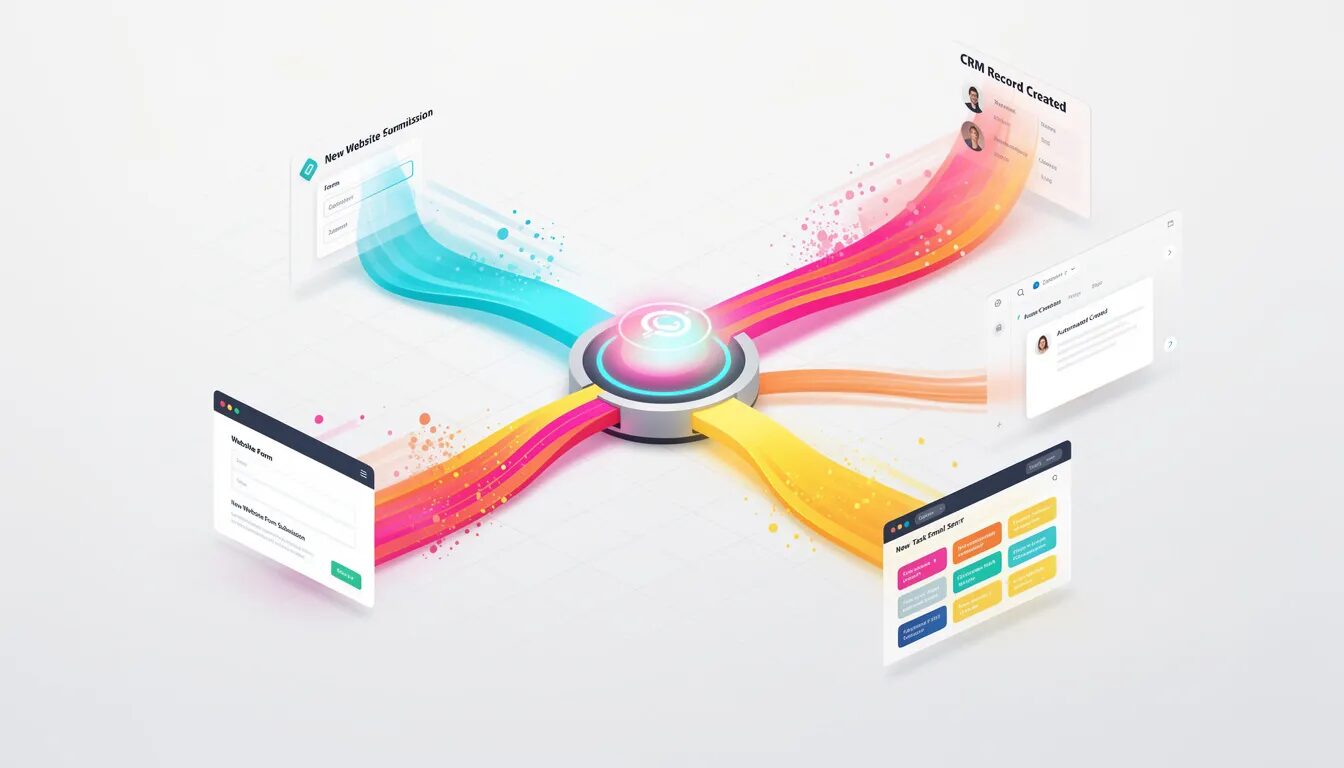
The platform’s strength lies in its ability to handle data transfers and trigger actions across multiple systems. For example, when a new lead fills out a form on your website, Zapier can automatically add their information to your customer relationship management system, send a welcome email, create a follow-up task for your sales team, and add them to your email marketing list.
Pricing and Plans:
- Free plan: 100 tasks/month
- Starter: $19.99/month for 750 tasks
- Professional: $49/month for 2,000 tasks
- Team and Company plans available for larger organizations
Best Use Cases:
- CRM updates when new leads are captured
- Automated file management between cloud storage services
- Social media posting across platforms
- Email notifications triggered by specific events
- Data synchronization between project management and billing tools
Limitations: Zapier works best with simple, linear workflows. Complex processes requiring conditional logic, loops, or advanced decision trees may require more sophisticated automation platforms. Additionally, while the drag and drop interface is intuitive, building complex workflows still requires understanding of process design principles.
Microsoft Power Automate – Best for Office 365 Environments
For organizations already invested in the Microsoft 365 ecosystem, microsoft power automate provides the most seamless automation experience. The platform integrates natively with Outlook, Excel, SharePoint, Teams, and other Microsoft applications while supporting over 500 third-party connectors.
Power automate’s AI Builder capabilities set it apart from simpler automation tools. This feature enables intelligent document processing, sentiment analysis, and form recognition without requiring advanced technical expertise. For example, AI Builder can automatically extract data from invoices, process employee expense reports, and categorize customer feedback.
Key Features:
- Native integration with google workspace alternatives in Microsoft suite
- AI-powered document processing and data extraction
- Automated approval workflows for expense reports and purchase orders
- Real-time notifications and alerts across microsoft power tools
- Enterprise-grade security and compliance features
Pricing: Included with most Microsoft 365 business subscriptions, with premium features available through Power Platform licensing starting at $15/user/month.
Ideal For: Organizations using Microsoft 365 for email, document management, and collaboration will find power automate provides the most natural automation extension. The platform excels at streamlining operations within the Microsoft ecosystem while maintaining security and compliance standards.
Calendly – Best for Meeting Scheduling Automation
Meeting scheduling represents one of the most time-consuming routine tasks in business, often requiring multiple email exchanges to coordinate a single appointment. Calendly eliminates this friction by providing automated scheduling that integrates with popular calendar systems and sends automated notifications to all participants.
The platform’s automation capabilities extend beyond basic scheduling. Calendly can automatically send meeting reminders, follow-up emails with relevant resources, and even collect pre-meeting information through custom forms. For sales teams, this automation ensures consistent follow-through while reducing the administrative burden on representatives.
Automation Features:
- Automatic meeting reminders and confirmations
- Buffer time insertion between meetings
- Round-robin assignment for team scheduling
- Automated timezone detection and conversion
- Integration with video conferencing platforms
Pricing Structure:
- Basic (free): Individual scheduling with basic features
- Essentials: $8/month for advanced features and integrations
- Professional: $12/month for advanced workflows and analytics
- Teams: $16/user/month for team scheduling and admin features
ROI for Customer Service Teams: Customer service teams using Calendly report 40% reduction in scheduling-related email volume and 25% increase in meeting completion rates due to automated reminders and seamless scheduling experience.
HubSpot Workflows – Best for Marketing and Sales Task Automation
HubSpot Workflows provides sophisticated marketing automation and sales process automation within an integrated customer relationship management platform. The tool excels at nurturing leads through complex, multi-step campaigns based on customer behavior, demographics, and engagement patterns.
The platform’s strength lies in its ability to automate entire customer journeys from initial contact through conversion and retention. Automated workflows can score leads, assign them to appropriate sales representatives, trigger personalized email sequences, and update customer records based on interactions across multiple touchpoints.
Core Automation Capabilities:
- Lead scoring based on website behavior and engagement
- Automated email sequences triggered by specific actions
- Task creation and assignment for sales representatives
- Customer segmentation and list management
- Pipeline automation and deal progression tracking
Integration Benefits: HubSpot’s automation integrates seamlessly with their free CRM, providing a unified platform for managing customer relationships without requiring complex integrations between separate systems. This integration enables more sophisticated automation rules based on comprehensive customer data.
Pricing:
- Marketing Hub Starter: $45/month for basic workflows
- Professional: $800/month for advanced automation features
- Enterprise: $3,200/month for sophisticated automation capabilities
The platform particularly benefits businesses focused on inbound marketing and sales, where automated lead nurturing and scoring can significantly improve conversion rates and sales efficiency.
QuickBooks – Best for Financial Task Automation
Financial processes represent some of the most time-consuming and error-prone routine tasks in business operations. QuickBooks automates core financial workflows including invoice generation, payment processing, expense categorization, and financial reporting.
The platform’s automation capabilities extend to bank reconciliation, where transactions are automatically matched and categorized based on historical patterns and rules. This reduces the time required for monthly bookkeeping from hours to minutes while maintaining accuracy and providing real-time financial visibility.
Key Automation Features:
- Automated invoice generation and sending based on contracts or milestones
- Recurring billing for subscription or service-based businesses
- Expense categorization using machine learning and bank feeds
- Automatic payment reminders and late fee calculation
- Tax preparation automation with categorized expense reporting
Pricing Plans:
- Simple Start: $30/month for basic invoicing and expense automation
- Essentials: $60/month for time tracking and bill management
- Plus: $90/month for project management and inventory tracking
- Advanced: $200/month for advanced automation and analytics
Small Business Suitability: QuickBooks particularly benefits small businesses that lack dedicated accounting staff. The automation capabilities allow business owners to maintain accurate financial records without extensive bookkeeping knowledge or time investment.
Asana – Best for Project and Task Management Automation
Asana transforms project management through automation rules that eliminate manual task creation, assignment, and status updates. The platform’s custom workflow automation adapts to team processes while ensuring consistent execution across projects.
Project Automation Capabilities:
- Automatic task assignment based on project milestones and team capacity
- Status update notifications that keep stakeholders informed without manual reporting
- Resource allocation alerts when team members become overloaded
- Deadline tracking with automatic escalation for at-risk projects
- Template-based project creation for recurring workflows
The platform’s rules engine allows teams to create sophisticated automation without coding skills. For example, when a design task is marked complete, Asana can automatically create a review task assigned to the creative director, set a deadline based on project timeline, and notify the client that their project has progressed to the next phase.
Pricing Structure:
- Basic (Free): Core project management for teams up to 15 members
- Premium: $10.99/user/month for custom fields and advanced automation
- Business: $24.99/user/month for portfolios and advanced integration
- Enterprise: Custom pricing for advanced security and control features
Team Productivity Impact: Teams using Asana’s automation features report 30% reduction in time spent on project administration and 25% improvement in project completion rates due to better visibility and automated accountability.

Mailchimp – Best for Email Marketing Automation
Email marketing automation represents one of the highest-ROI applications of business automation tools. Mailchimp provides sophisticated behavioral trigger campaigns that nurture leads and customers through personalized email sequences based on their actions and preferences.
Advanced Automation Features:
- Welcome series that automatically introduce new subscribers to your brand
- Abandoned cart recovery emails for e-commerce businesses
- Re-engagement campaigns for inactive subscribers
- Post-purchase follow-up sequences with product recommendations
- Birthday and anniversary campaigns for customer retention
Mailchimp’s automation goes beyond simple email sequences. The platform can automatically segment audiences based on behavior, test different email variations, and optimize send times for maximum engagement. Machine learning capabilities improve campaign performance over time by analyzing customer responses and adjusting automation rules accordingly.
Pricing and Scalability:
- Free plan: Basic automation for up to 500 contacts
- Essentials: $13/month for custom branding and enhanced automation
- Standard: $20/month for A/B testing and advanced audience insights
- Premium: $350/month for advanced segmentation and unlimited seats
Business Impact: Businesses using Mailchimp’s automation features typically see 50% higher email open rates and 20% increase in customer lifetime value compared to manual email campaigns, due to improved personalization and timing.
IFTTT – Best for Simple Cross-Platform Automations
IFTTT (If This Then That) specializes in simple, trigger-based automation that connects different apps and devices using straightforward conditional logic. While less sophisticated than enterprise automation platforms, IFTTT excels at solving specific integration challenges with minimal setup complexity.
Popular Business Applications:
- Automatic social media cross-posting between platforms
- Cloud storage file synchronization and backup
- Smart office device integration and control
- Social media monitoring and alerting
- Mobile device automation for field workers
The platform’s simplicity makes it ideal for small businesses that need basic automation without complex workflow requirements. Each automation (called an “Applet”) follows a simple if-this-then-that structure that anyone can understand and configure.
Pricing Model:
- Free plan: 3 applets with basic functionality
- Pro plan: $3.99/month for unlimited applets and advanced features
Best Use Cases for Small Businesses: IFTTT works particularly well for businesses needing simple automation between consumer applications and services. For example, automatically posting Instagram photos to Twitter, saving email attachments to Google Drive, or getting mobile notifications when specific business metrics change.
Most Common Routine Tasks You Should Automate First
When implementing automation solutions, prioritizing the right processes ensures maximum impact and successful adoption. Focus on these high-value routine tasks that offer the quickest returns on your automation investment: Help desk software such as Freshdesk and Zendesk utilize AI and automation to enhance customer support operations, enabling faster response times and improved service quality. Automation Anywhere builds AI-powered agents to automate long, multi-step business workflows, making it a valuable tool for organizations seeking to optimize complex processes.
Customer Communication and Email Management
Email responses consume significant time in most businesses, particularly for customer service teams and sales representatives. Automated email campaigns, response templates, and routing rules can handle 60-80% of routine customer inquiries without human intervention. Start with welcome emails, order confirmations, and frequently asked questions to immediately reduce manual effort.
Data Entry and CRM Updates
Manual data entry between systems creates bottlenecks and introduces errors that compound over time. Automating data transfers from web forms to customer relationship management systems, updating contact information, and syncing data between existing tools typically provides immediate time savings and improved accuracy.
Invoice Generation and Payment Processing
Financial processes often involve repetitive steps that can be completely automated. Setting up automated invoicing based on project milestones or recurring billing cycles eliminates manual invoice creation while ensuring consistent cash flow. Payment reminders and follow-up communications can also be automated to improve collection rates.
Social Media and Content Distribution
Content marketing requires consistent posting across multiple platforms—a perfect candidate for automation. Automated social media scheduling, cross-platform posting, and content distribution ensure consistent brand presence without requiring daily manual posting. This automation frees marketing teams to focus on content creation and strategic initiatives.
New employee onboarding involves numerous routine tasks including document collection, system access provisioning, and training schedule coordination. Automating these administrative tasks ensures consistent onboarding experiences while reducing HR workload. HR automation further streamlines the process by handling documentation, equipment setup, and access provisioning, allowing HR teams to focus on strategic initiatives.
New employee onboarding involves numerous routine tasks including document collection, system access provisioning, and training schedule coordination. Automating these administrative tasks ensures consistent onboarding experiences while reducing HR workload. Employee time tracking, leave requests, and performance review scheduling also benefit significantly from automation.
Report Generation and Distribution
Business reporting often involves collecting data from multiple sources, formatting information, and distributing reports to stakeholders. Automated report generation can compile data from various systems, apply consistent formatting, and deliver reports on scheduled intervals. This automation ensures timely reporting while eliminating manual compilation errors.
Meeting Scheduling and Calendar Management
Calendar coordination represents one of the most frustrating routine tasks in business. Automated scheduling tools eliminate back-and-forth email exchanges while ensuring optimal calendar utilization. Integration with video conferencing platforms and automatic meeting reminders further streamline the entire meeting lifecycle.
Inventory and Supply Chain Management
For businesses managing physical products, inventory tracking and reorder alerts prevent stockouts while optimizing working capital. Automated reorder points, supplier notifications, and purchase order generation based on inventory levels ensure smooth operations without constant manual monitoring.
How to Choose the Right Automation Tool for Your Business
Selecting appropriate automation tools requires systematic evaluation of your current processes, technical requirements, and organizational capabilities. The wrong choice can result in wasted resources and failed implementations, while the right automation solution can transform your operational efficiency. Automated IT management tools can handle employee system access, software licenses, security updates, and device management, ensuring streamlined operations and enhanced security.
Process Assessment and Prioritization
Begin by documenting your current manual processes and identifying which routine tasks consume the most time or generate the most errors. Create a simple spreadsheet listing each process, the time required, frequency of execution, and potential impact of automation. Focus on high-frequency, high-impact processes that follow consistent rules and require minimal judgment.
Look for processes that involve multiple systems—these often provide the greatest automation value through improved integration. For example, a process that requires copying data from email to spreadsheet to CRM system is an excellent automation candidate.
Integration Requirements and System Compatibility
Evaluate how potential automation tools integrate with your existing systems. Organizations heavily invested in specific ecosystems (Microsoft 365, Google Workspace, Salesforce) should prioritize automation solutions with native integration capabilities. This reduces implementation complexity and ensures better long-term maintainability.
Consider both current integration needs and future system additions. Choose automation platforms with robust APIs and extensive connector libraries to accommodate business growth and system changes. Legacy systems may require additional integration work or middleware solutions. Look for platforms that offer clear debugging tools and error handling capabilities to ensure smooth operation and quick resolution of issues.
Technical Skills and Training Requirements
Honestly assess your team’s technical capabilities and appetite for learning new tools. No-code platforms like Zapier or Microsoft Power Automate are ideal for teams without requiring technical expertise, while more sophisticated solutions may need dedicated technical resources or external consulting support.
Factor in training time and ongoing maintenance requirements when evaluating options. Some platforms require minimal training but offer limited customization, while others provide extensive capabilities but demand significant learning investment.
Budget Considerations and Total Cost of Ownership
Look beyond subscription pricing to understand total implementation costs. Consider setup time, training requirements, integration complexity, and ongoing maintenance when calculating ROI. Many businesses underestimate the time required for process documentation, workflow design, and team training.
Evaluate pricing models carefully—per-user pricing may be expensive for large teams, while transaction-based pricing might become costly for high-volume operations. Some tools offer unlimited usage for fixed monthly costs, which can provide predictable expenses for growing businesses.
Scalability and Growth Planning
Choose automation solutions that can grow with your business. Consider both transaction volume scaling and feature requirements as your organization matures. Some platforms work well for simple automation but struggle with complex workflows, while others offer enterprise-grade capabilities that may be overkill for current needs.
Evaluate vendor stability and development roadmap to ensure long-term viability. Established vendors with strong development teams are more likely to continue enhancing their platforms and maintaining compatibility with evolving business applications.
Security and Compliance Requirements
For regulated industries or businesses handling sensitive data, security and compliance features are non-negotiable. Evaluate data encryption, access controls, audit trails, and compliance certifications. Some automation tools are specifically designed for regulated environments and include built-in governance features.
Consider data residency requirements and vendor security practices. Cloud-based automation tools should provide clear documentation about data handling, backup procedures, and disaster recovery capabilities.
Implementation Best Practices
Successful automation implementation requires careful planning, systematic execution, and ongoing optimization. A critical aspect is the implementation process when adopting automation tools. Organizations often encounter common pitfalls during deployment, such as underestimating integration challenges or failing to align automation with existing workflows. Choosing integrated platforms is essential to facilitate a smooth implementation process and minimize disruptions. Following proven best practices significantly increases the likelihood of achieving desired outcomes while avoiding common pitfalls that derail automation initiatives.
Start Small and Scale Gradually
Begin your automation journey with one or two high-impact routine tasks rather than attempting to automate multiple processes simultaneously. This approach allows your team to learn the automation platform, develop expertise, and build confidence before tackling more complex workflows.
Choose initial automation projects that are well-defined, have clear success metrics, and minimal risk if something goes wrong. Success with simple automation builds organizational support for more ambitious projects while providing valuable learning experiences.
Document Processes Before Automation
Thorough process documentation is essential for successful automation implementation. Map out current workflows step-by-step, including decision points, exception handling, and system interactions. This documentation serves as the blueprint for automated workflows and helps identify opportunities for process improvement.
Include screenshots, system names, data formats, and timing requirements in your documentation. Clear process maps make automation design more straightforward and provide reference materials for training and troubleshooting.
Manage Change and User Adoption
Automation changes how people work, which can generate resistance from team members concerned about job security or additional learning requirements. Address these concerns through clear communication about how automation will benefit both the organization and individual employees.
Involve key users in the automation design process to ensure workflows meet practical needs and gain buy-in from people who will use the automated systems. Provide adequate training and support during the transition period, and celebrate early wins to build enthusiasm for automation initiatives.
Test Thoroughly Before Full Deployment
Implement comprehensive testing protocols before deploying automated workflows to production. Test with real data, edge cases, and various scenarios to identify potential issues. Create backup procedures for when automation fails or encounters unexpected situations. Monitor outputs and test workflows regularly to reduce mistakes in automation and ensure consistent performance.
Start with pilot deployments involving small groups or limited data sets before rolling out automation broadly. Monitor automated workflows closely during initial deployment to identify and resolve issues quickly. Establish clear escalation procedures when automation requires human intervention. Test automation helps engineering teams run tests on new features without manual intervention, ensuring software quality and reducing the time required for manual testing.
Monitor Performance and Optimize Continuously
Successful automation requires ongoing monitoring and optimization rather than “set it and forget it” implementation. Establish metrics for automation performance including processing time, error rates, and user satisfaction. Regular monitoring helps identify opportunities for improvement and ensures automation continues meeting business needs.
Create dashboards or reports that track automation effectiveness and identify trends over time. Schedule regular reviews of automated workflows to ensure they remain aligned with business processes and take advantage of new platform features or capabilities.
Create Documentation and Governance Framework
As automation expands across your organization, establish governance frameworks that ensure consistency, security, and maintainability. Document automation standards, approval processes, and maintenance responsibilities. Create naming conventions and organizational structures that make automated workflows easy to find and understand.
Develop change management procedures for modifying automated workflows, including testing requirements and approval processes. Establish backup and disaster recovery procedures to ensure business continuity if automation systems become unavailable.

Cost Analysis and ROI of Task Automation Tools
Understanding the financial impact of automation tools requires analyzing both direct costs and broader economic benefits. While subscription fees are the most visible expense, successful automation initiatives must account for implementation costs, productivity gains, and long-term operational improvements.
Typical Pricing Models and Hidden Costs
Most automation platforms use subscription-based pricing with several common models:
- Per-user pricing: $10-50 per user monthly, suitable for tools where each team member needs access
- Transaction-based pricing: $0.01-0.10 per automated action, ideal for high-volume, predictable workflows
- Flat-rate pricing: $50-500 monthly for unlimited usage within certain parameters
- Freemium models: Basic functionality free, premium features require paid subscriptions
Hidden costs often exceed subscription fees and include:
- Implementation time: 20-100 hours for process documentation, workflow design, and testing
- Training requirements: 5-40 hours per user depending on platform complexity
- Integration costs: $1,000-10,000 for complex legacy system connections
- Ongoing maintenance: 2-10% of implementation cost annually for updates and optimization
- Support and consulting: $100-300 per hour for specialized configuration assistance
ROI Timelines and Calculation Methods
Most businesses achieve positive ROI from automation tools within 3-6 months of implementation. Calculate ROI using this framework:
Time Savings Calculation:
- Document time spent on manual tasks (hours per week)
- Multiply by hourly labor costs including benefits
- Factor in error correction time and rework costs
- Calculate annual savings from automated efficiency
Cost Reduction Analysis:
- Reduced error rates and associated correction costs
- Decreased need for temporary or contract labor during busy periods
- Improved accuracy in billing, reporting, and compliance
- Reduced software licensing through consolidated automation platforms
Productivity Enhancement Benefits:
- Employee time reallocated to strategic initiatives and revenue-generating activities
- Improved customer satisfaction through faster response times and consistency
- Enhanced scalability allowing business growth without proportional staffing increases
- Better data accuracy enabling more informed business decisions
Real-World ROI Examples:
A 50-person professional services firm implementing basic automation tools typically sees:
- 15-20 hours per week recovered from administrative tasks
- $50,000-80,000 annual savings in labor costs
- 40% reduction in billing errors and client disputes
- 6-month payback period on $15,000 annual automation investment
Free vs. Paid Tool Comparison
Free automation tools can provide significant value for simple workflows but often have limitations that require paid upgrades:
Free Plan Limitations:
- Restricted number of automated workflows or monthly transactions
- Limited integration options with business applications
- Basic support and documentation
- Minimal customization and advanced features
When to Upgrade:
- Automation needs exceed free plan transaction limits
- Require advanced features like conditional logic or multi-step workflows
- Need priority support for business-critical automation
- Want advanced analytics and reporting capabilities
- Require enhanced security and compliance features
The decision to upgrade should be based on the value generated by automation rather than just feature requirements. If automation saves more in labor costs than the subscription fee, upgrading is typically justified.
Common Mistakes to Avoid
Learning from common automation implementation failures can save significant time and resources while improving the likelihood of successful outcomes. These mistakes occur frequently across organizations of all sizes and can be avoided through careful planning and realistic expectations.
Automating Broken Processes Instead of Fixing Them
One of the most costly mistakes is automating inefficient processes without first optimizing them. Automation amplifies existing processes—if the underlying workflow is flawed, automation will execute those flaws consistently and at scale.
Before implementing automation tools, analyze current processes for unnecessary steps, redundant approvals, and inefficient handoffs. Streamline workflows to eliminate waste, then automate the optimized process. This approach delivers better results and prevents automating problems that should be solved through process improvement.
Over-Automation and Loss of Human Touch
While automation capabilities can handle many routine tasks, some customer interactions require human judgment, empathy, and relationship-building skills. Over-automating customer-facing processes can damage relationships and reduce satisfaction.
Maintain human touchpoints for complex customer issues, high-value client interactions, and situations requiring creative problem-solving. Use automation to handle routine inquiries and administrative tasks while ensuring customers can easily reach human representatives when needed.
Inadequate Training and Change Management
Insufficient training is responsible for many automation implementation failures. Team members who don’t understand automated systems may work around them, creating duplicate processes that eliminate automation benefits.
Invest in comprehensive training programs that cover not just how to use automation tools, but why automation benefits the organization and individual workers. Provide ongoing support during transition periods and create documentation that helps team members troubleshoot common issues.
Ignoring Data Security and Privacy Implications
Automation tools often process sensitive business data and customer information, creating security risks that must be carefully managed. Failing to evaluate vendor security practices, data handling procedures, and access controls can expose organizations to data breaches and compliance violations.
Review security certifications, data encryption practices, and backup procedures before implementing automation solutions. Establish clear data governance policies that specify what information can be automated and how access should be controlled. Regular security audits ensure ongoing compliance with industry regulations.
Choosing Overly Complex Solutions for Simple Needs
Many organizations select enterprise-grade automation platforms when simpler solutions would be more appropriate. Complex tools require more training, longer implementation timelines, and ongoing maintenance that may not be justified by automation requirements.
Match automation complexity to actual business needs. Simple workflow automation may be better served by basic tools with intuitive interfaces, while complex processes requiring sophisticated logic benefit from advanced platforms. Consider total cost of ownership including training and maintenance when evaluating options.
Failing to Maintain and Update Automated Systems
Automated workflows require ongoing maintenance as business processes evolve, systems change, and requirements shift. Organizations that implement automation without establishing maintenance procedures often find their automated systems become outdated or incompatible with business changes.
Schedule regular reviews of automated workflows to ensure they continue meeting business needs. Establish procedures for updating automation when systems change or new requirements emerge. Create documentation that enables multiple team members to maintain and modify automated processes.
Lack of Performance Monitoring and Optimization
Many businesses implement automation and then fail to monitor performance or optimize workflows over time. Without ongoing measurement, organizations miss opportunities to improve efficiency and may not identify when automation stops working effectively.
Establish key performance indicators for automated processes including processing time, error rates, and user satisfaction. Create dashboards or reports that track automation performance and identify trends. Regular optimization reviews help ensure automation continues delivering value as business needs evolve.
Future Trends in Business Task Automation
The automation landscape continues evolving rapidly, driven by advances in artificial intelligence, machine learning, and natural language processing. Understanding emerging trends helps businesses make informed decisions about automation investments and prepare for future capabilities that will reshape how work gets done.
AI-Powered Automation and Machine Learning Integration
Current automation tools primarily follow predefined rules and decision trees. The next generation of automation platforms incorporates ai powered automation that can learn from user behavior, adapt to changing conditions, and make intelligent decisions without explicit programming.
Natural language processing enables automation platforms to understand and respond to unstructured communication like emails, chat messages, and documents. This capability expands automation beyond structured data to include complex communication workflows and customer service interactions.
Machine learning algorithms continuously optimize automated workflows by analyzing performance patterns and identifying improvement opportunities. These intelligent systems can automatically adjust timing, routing, and decision criteria based on historical data and outcomes.
Hyper-Automation and Process Intelligence
Hyper-automation combines multiple automation technologies including robotic process automation, ai capabilities, and process mining to create comprehensive automation ecosystems. Rather than automating individual tasks, hyper-automation orchestrates entire business processes across multiple systems and departments.
Process mining technology analyzes system logs and user behavior to identify automation opportunities that might not be obvious through manual process analysis. This data-driven approach to automation discovery helps organizations prioritize automation initiatives based on actual impact potential.
Industry-Specific Automation Solutions
Generic automation platforms are being supplemented by industry-specific solutions that understand regulatory requirements, workflow patterns, and integration needs for particular sectors. Healthcare automation tools incorporate HIPAA compliance, financial services automation includes audit trails and risk management, and manufacturing automation connects with IoT devices and production systems.
These specialized solutions reduce implementation complexity and time-to-value by providing pre-built workflows, industry-standard integrations, and compliance features relevant to specific business contexts.
Mobile-First Automation and Field Worker Integration
As workforces become increasingly mobile and distributed, automation platforms are emphasizing mobile-first design that enables field workers, remote teams, and traveling employees to access and trigger automated workflows from smartphones and tablets.
Location-based automation triggers can initiate workflows when employees arrive at customer sites, complete mobile forms, or update project status from the field. This integration between mobile work and automation ensures consistent process execution regardless of where work happens.
Integration with Business Intelligence and Analytics
Modern automation platforms increasingly integrate with business intelligence tools and analytics platforms to provide comprehensive operational insights. This integration enables automation that responds to business metrics, market conditions, and performance indicators rather than just operational triggers.
Real-time analytics help organizations understand automation impact on business outcomes and identify opportunities for expanding automation into new areas. Predictive analytics can forecast automation requirements based on business growth projections and seasonal patterns.
Enhanced Security and Governance Capabilities
As automation becomes more prevalent and handles increasingly sensitive processes, security and governance capabilities are becoming more sophisticated. Enhanced audit trails, role-based access controls, and automated compliance monitoring help organizations maintain security while scaling automation across the entire business.
Zero-trust security models are being integrated into automation platforms to ensure secure operation in distributed work environments and cloud-first IT architectures.

The future of business automation points toward more intelligent, adaptable, and integrated solutions that can handle complex processes while maintaining security and compliance requirements. Organizations investing in automation today should consider platforms with strong AI integration capabilities and flexible architectures that can evolve with advancing technology.
As these trends continue developing, the boundary between human work and automated systems will become increasingly seamless, with ai tools and automation handling routine processes while humans focus on strategic work, creative problem-solving, and relationship building that drives business growth and innovation.
Understanding and preparing for these trends helps businesses make automation investments that will provide value both today and as technology continues advancing. The key is selecting flexible automation solutions that can grow and adapt rather than platforms that may become obsolete as automation capabilities evolve.
Success with business automation tools requires thoughtful planning, systematic implementation, and ongoing optimization rather than simply deploying software. Organizations that approach automation strategically—focusing on process improvement, user adoption, and continuous enhancement—will achieve the greatest returns on their automation investments while building foundations for future innovation.
Introduction to Business Automation
Business automation is the practice of using technology to handle repetitive and routine tasks, allowing your team to focus on more strategic and creative work. By implementing automation tools, companies can streamline workflows, reduce manual effort, and boost overall efficiency. Business process automation and workflow automation are at the heart of this transformation, enabling organizations to automate everyday tasks such as data entry, document management, and customer communications.
Robotic process automation (RPA) takes this a step further by mimicking human actions to automate rule-based tasks across multiple systems, making it possible to handle high-volume, repetitive processes with speed and accuracy. Marketing automation tools, meanwhile, help businesses automate campaigns, lead nurturing, and customer engagement, freeing up valuable time for teams to focus on growth initiatives.
By automating everyday tasks, businesses not only save time but also minimize errors and ensure consistency across operations. Whether it’s automating data entry, streamlining approval workflows, or reducing the manual effort involved in routine tasks, business automation empowers organizations to operate more efficiently and stay competitive in today’s fast-paced environment.
AI Powered Automation
AI-powered automation represents the next evolution in business automation, enabling organizations to tackle complex processes that go beyond simple rule-based tasks. By leveraging artificial intelligence and machine learning, these advanced automation tools can analyze large volumes of data, recognize patterns, and make decisions in real time—often without any human intervention.
One of the most impactful applications of ai powered automation is in natural language processing, which allows businesses to deploy intelligent chatbots and virtual assistants for customer service. These AI-driven systems can understand and respond to customer inquiries, resolve issues, and even escalate complex cases when necessary. Beyond customer service, AI-powered automation can be used for lead scoring, customer segmentation, and personalized marketing, ensuring that each customer receives tailored communications based on their behavior and preferences.
By integrating ai powered automation into business workflows, companies can streamline complex processes, improve customer experience, and unlock new opportunities for growth. The ability to automate decision-making and adapt to changing conditions in real time makes AI-powered automation a critical tool for businesses looking to stay ahead in a rapidly evolving digital landscape.
Training and Support
Maximizing the benefits of business automation tools requires more than just implementation—it demands comprehensive training and ongoing support for your team. Effective training ensures that employees understand how to use automation software, build custom workflows, and leverage advanced automation capabilities without needing extensive coding skills.
Many modern automation platforms feature intuitive drag-and-drop interfaces and conditional logic, making it easy for users to design and modify automated workflows for even the most complex tasks. Some platforms also offer ai powered automation features, enabling teams to automate sophisticated processes with minimal technical expertise.
Providing robust support and training resources helps employees troubleshoot issues, adapt to new automation tools, and continuously improve business workflows. By investing in training and support, organizations empower their teams to fully utilize business automation tools, drive efficiency, and achieve long-term success with their automation initiatives.